 weerocks
Open your documents
Read PDFs, Word documents, EPUB books, scans, and photos in one focused workspace.
Bring Chinese documents into a reading workspace designed for context, vocabulary, and listening across Apple devices.

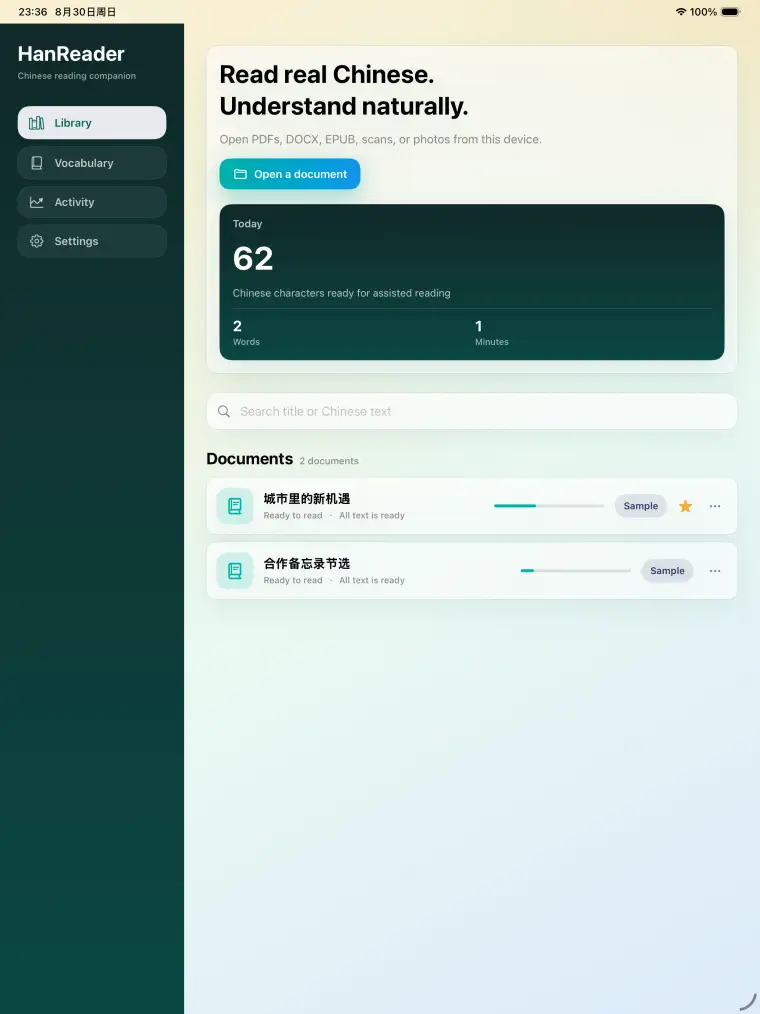

Read PDFs, Word documents, EPUB books, scans, and photos in one focused workspace.
Use OCR and bilingual assistance, inspect selected text, and keep the surrounding passage visible.
Save words and notes while reading, then return to them without leaving your library.
Hear neural narration while the corresponding text is highlighted on the page.
HanReader keeps importing, reading, understanding, and reviewing in the same focused workspace.
Open a PDF, Word document, EPUB book, scan, or photo from your own collection.
Keep the document layout and surrounding passage visible while you work through the text.
Use OCR, pronunciation, bilingual assistance, and contextual help where the page becomes difficult.
Save vocabulary and notes, or listen with synchronized highlighting, without breaking the reading flow.
Choose a device to see how HanReader adapts the same focused reading experience.
HanReader on Mac: Chinese reading and contextual help
Keep documents and reading history organized on the device you use.
Explore a selected character or passage without losing sight of the original document.
Turn difficult passages into saved words, notes, and highlighted narration you can revisit.
A single library for common reading files and image-based material across supported Apple devices.
Documents and reading records stay on your device. Online assistance receives only the text needed for each request.
Visit the HanReader website for product information and availability.
Bring local AI compute and team tools into one shared workspace.
 Explore Team AI Box